
Your Friendly Guardian
for Email Privacy.
Create unique email aliases for every service you sign up to — running on your own Cloudflare account. Zero subscriptions. Zero data sharing.
How it works
Every email sent to your alias is intercepted and forwarded to your real inbox — or silently blocked if you've disabled it.
Website
Inbox
Sign up with an alias
Use a unique alias like shop-pine-wood@yourdomain.com instead of your real email when registering on any website.
Emails forward to you
MailPal intercepts every incoming message and forwards it to your real inbox, with full transparency on sender and counts.
Kill the noise instantly
If a service starts spamming, disable the alias in one click. The emails stop immediately — your real address stays untouched.
Everything you need
MailPal gives you complete control over your email privacy — without any of the usual trade-offs.
Your real inbox, never exposed
Give every service its own alias. When one goes spammy, kill it in one click — without changing your real address or losing your other accounts.
Total control, zero subscriptions
MailPal runs entirely inside your own Cloudflare account on the free tier. No monthly fees, no vendor lock-in, no third-party servers ever seeing your mail.
Multi-domain support
Manage multiple domains from a single dashboard with color-coded dots for easy navigation. Each domain has its own settings and default forwarding address.
Aliases that manage themselves
Set an expiry date or a max-forward limit and aliases disable themselves automatically. Enable wildcard mode and MailPal auto-creates aliases on new emails.
Always know what's happening
Every alias tracks forwarded and blocked counts plus a per-alias activity log, so you can see exactly which service leaked your address and when.
Built for real workflows
Add notes, assign color tags, and use full-text search to find any alias in seconds. Bulk-enable, bulk-disable, or bulk-delete when you need to act fast.
See it in action
A clean, fast dashboard for managing all your aliases, domains, and forwarding rules.
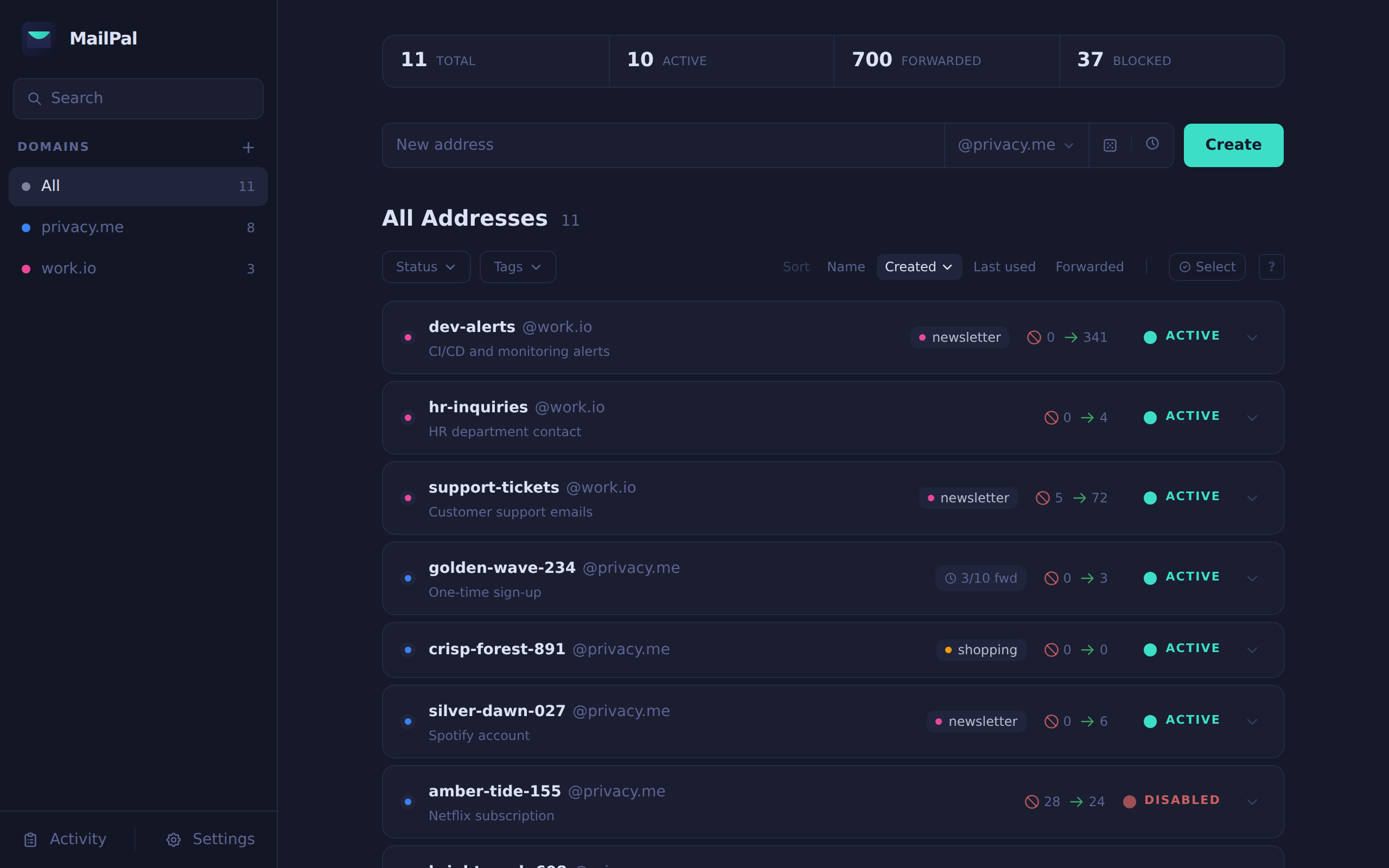
Main dashboard — stats bar, quick-create form, full alias list with tags and per-alias counters
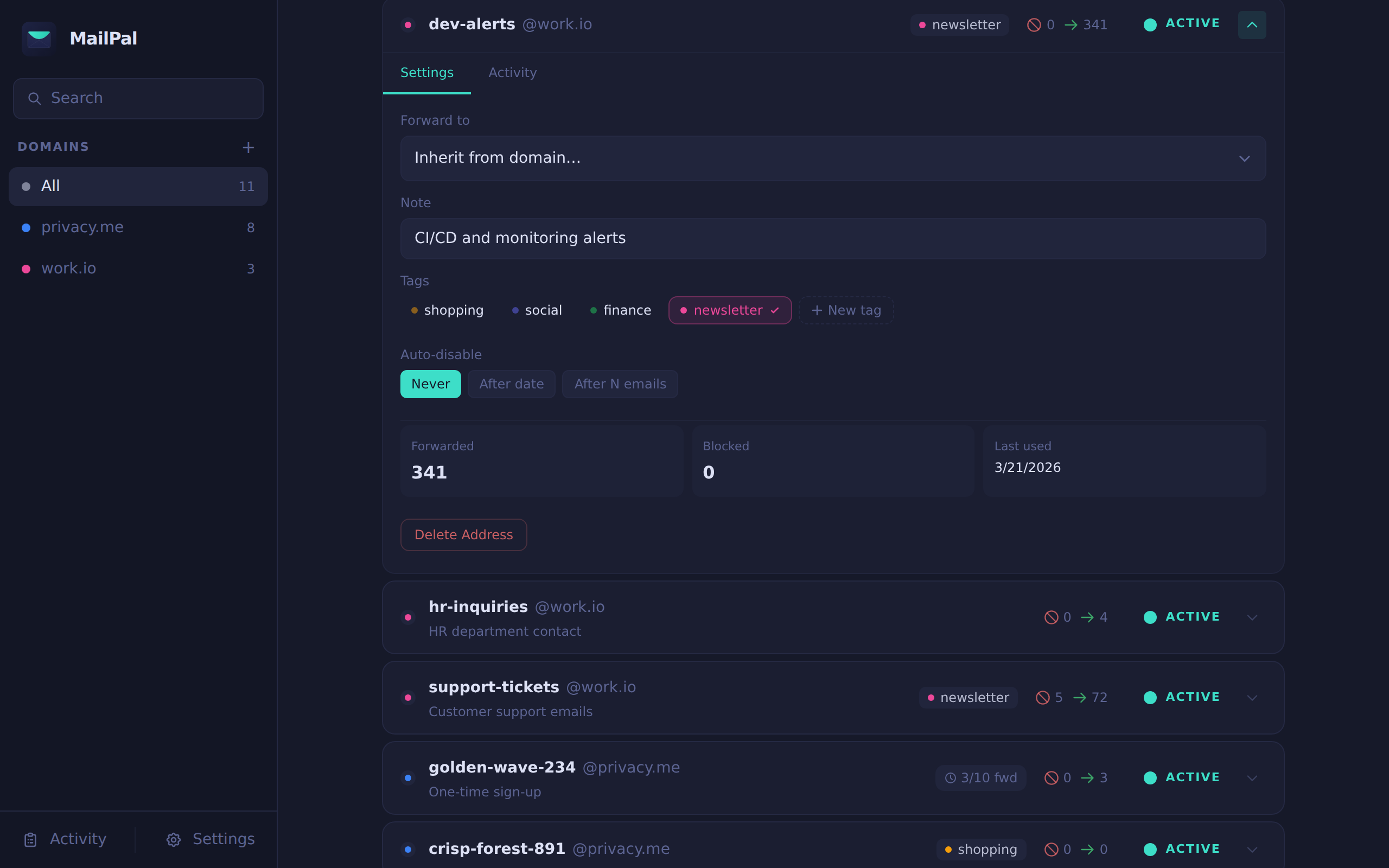
Alias detail — edit target address, note, tags, expiry, and view the activity log
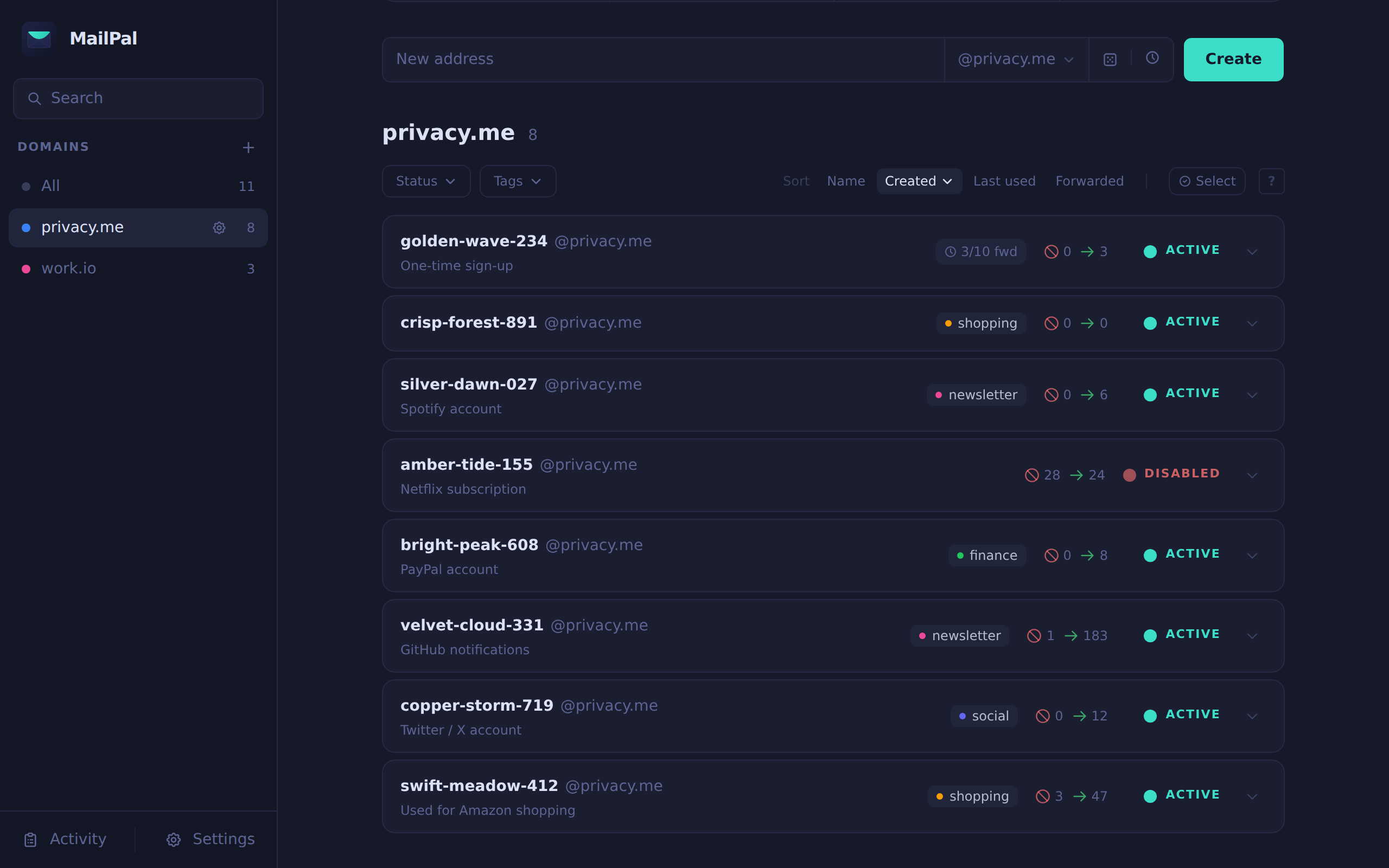
Domain filtering — click any domain to scope the list; color-coded dots for multi-domain setups
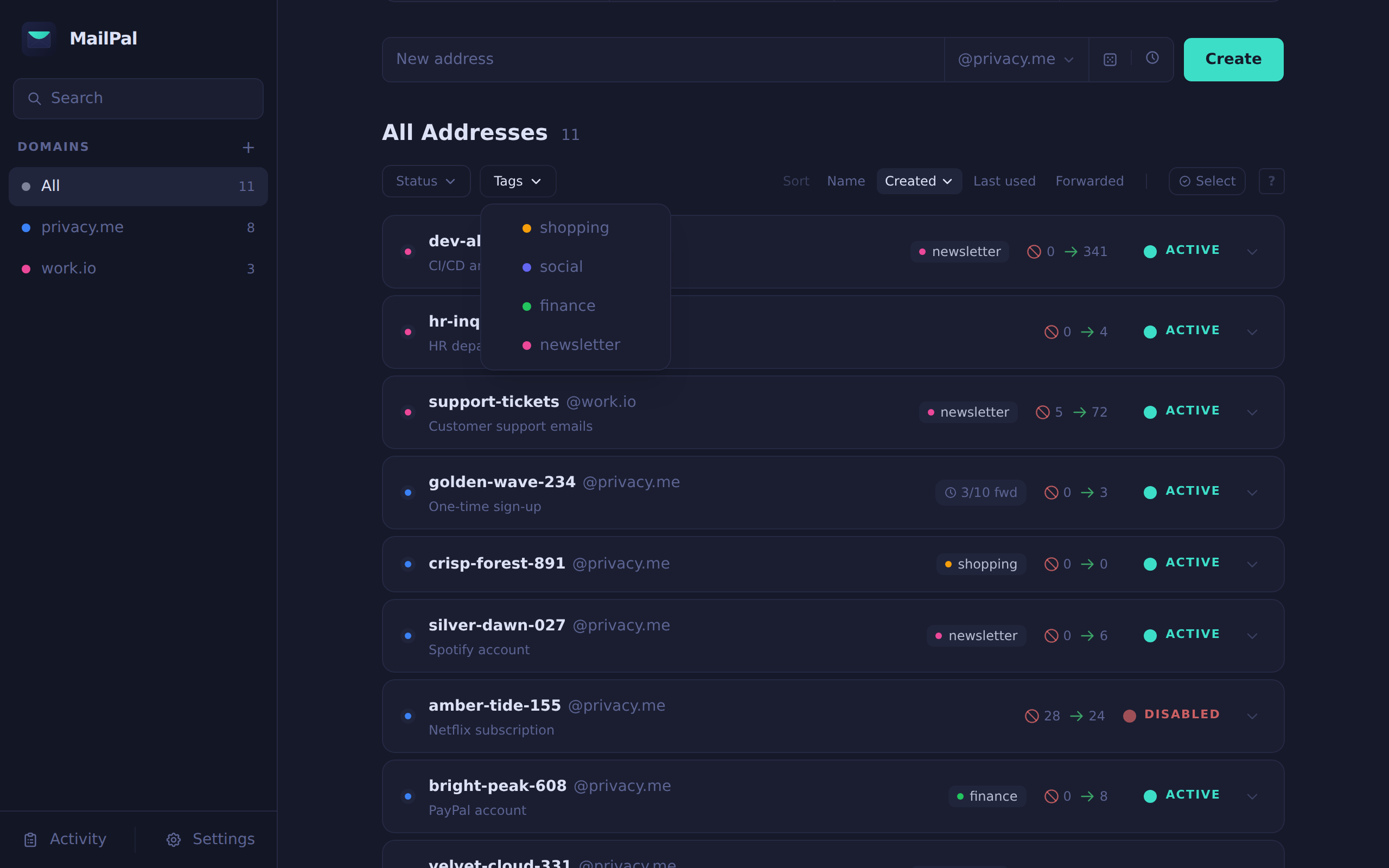
Tag filtering — create named color tags and filter aliases by one or more tags instantly
Your data. Your rules.
Unlike other email alias services, MailPal runs entirely inside your own Cloudflare account. Your emails never touch a third-party server.
End-to-end privacy
MailPal processes your emails using Cloudflare Workers — code running inside your own Cloudflare account. No third-party has access to your aliases or your email traffic.
- No third-party data access
- No email content stored
- No analytics or tracking
- Fully auditable open source code
Free on Cloudflare's free tier
MailPal is built entirely on Cloudflare's generous free tier. No credit card required. No monthly fees. No vendor lock-in. Just deploy and enjoy.
- Cloudflare Pages — dashboard hosting
- Cloudflare Workers — email processing
- Cloudflare KV — alias & config storage
- Cloudflare Email Routing — free with any domain
Architecture overview
CF Pages
CF KV
CF Workers
Set up in Minutes
Deploy MailPal to your own Cloudflare account with a single command.
Prerequisites
- A Cloudflare account (free)
- A domain added to Cloudflare
- Node.js 18+ or Bun
- Wrangler CLI (npm i -g wrangler)
curl -fsSL https://mailpal.cc/install | bashThe setup script will:
- Authenticate with Cloudflare via Wrangler
- Clone the repository to your machine
- Create a KV namespace and configure both workers
- Deploy the email worker to Cloudflare Workers
- Build and deploy the dashboard to Cloudflare Pages
- Optionally set a login password for the dashboard
After setup, configure a catch-all Email Routing rule in the Cloudflare dashboard pointing to mailpal-email-worker.
Take Back Control of
Your Inbox.
Deploy MailPal to your own Cloudflare account in minutes. Free forever. No subscriptions. No compromises.